
When choosing between Logitech and Microsoft wireless keyboards for typing, the Logitech MX Keys S shines with its comfortable, backlit keys and multi-device capabilities. It’s perfect for those who value a premium typing experience. On the other hand, Microsoft’s Bluetooth Keyboard is a budget-friendly option, boasting a sleek design but lacking backlighting. Both brands offer solid durability and quiet operation, making them office-friendly. Curious about which one fits your needs best? Let’s explore further.
Key Takeaways
- Logitech MX Keys S offers superior tactile feedback and well-spaced backlit keys, enhancing the typing experience significantly.
- Microsoft Bluetooth Keyboard features a lightweight, minimalist design but lacks backlighting, making it less ideal for typing in dim environments.
- Logitech’s rechargeable options via USB-C provide convenience and longevity compared to Microsoft’s reliance on standard AAA batteries.
- User feedback consistently favors Logitech for key responsiveness and overall typing comfort over Microsoft’s quieter, smoother typing experience.
- For multi-device users, Logitech MX Keys S supports seamless connectivity, adding extra value compared to Microsoft’s basic functionality.
Overview of Logitech and Microsoft Keyboards

When you’re choosing a wireless keyboard, both Logitech and Microsoft offer compelling options that cater to various needs. Logitech’s MX Keys S and K780 models excel in multi-device connectivity, allowing you to switch seamlessly between three devices, which enhances your productivity. Their ergonomic keyboards provide a quiet typing experience, perfect for office environments. On the other hand, Microsoft’s Bluetooth keyboards stand out with their sleek designs and customizable shortcuts, appealing to those who value aesthetics alongside functionality. Both brands prioritize battery life, with Logitech keyboards often lasting several months on a single charge or set of batteries. Whether you’re after versatility or style, both Logitech and Microsoft have options that can elevate your typing experience.
Key Features Comparison
As you compare the key features of Logitech and Microsoft wireless keyboards, you’ll find distinct strengths that cater to different preferences. The Logitech MX Keys stands out with its well-spaced backlit keys, enhancing your typing experience, and it allows for multiple device connections via Bluetooth. In contrast, the Microsoft Bluetooth Keyboard boasts a sleek design but lacks backlighting. Battery life is impressive for both, with the Logitech offering a rechargeable option via USB-C, while Microsoft typically uses standard batteries. The Logitech MX Keys features a full-size layout for spacious typing, whereas the Microsoft keyboard’s compact design emphasizes ergonomic aspects. User feedback often highlights Logitech’s key responsiveness, making it a favorite for comfort seekers.
Typing Experience and Key Feel

While both the Logitech MX Keys S and Microsoft Bluetooth Keyboard excel in providing a pleasant typing experience, they cater to different preferences. The Logitech MX Keys S features well-spaced backlit keys that deliver tactile feedback, enhancing your typing comfort during long sessions. Its key travel and responsiveness are often praised, making it a favorite for those who enjoy a more pronounced key feel. On the other hand, the Microsoft Bluetooth Keyboard offers a lightweight design with quiet operation, perfect for minimizing distractions. Although both keyboards show durability over time, user satisfaction leans toward Logitech for its superior key longevity and overall typing comfort. Ultimately, your choice will depend on whether you prefer tactile feedback or a softer, smoother typing experience.
Design and Aesthetics
If you’re looking for a keyboard that not only performs well but also complements your workspace, the design and aesthetics of the Logitech K780 and Microsoft Bluetooth Keyboard are worth considering. The Logitech K780 boasts a compact form factor with an integrated device cradle, enhancing its functionality by allowing seamless device switching. In contrast, the Microsoft Bluetooth Keyboard features a sleek, minimalist design that emphasizes lightweight portability. While Logitech offers various color options for customization, Microsoft maintains a more uniform aesthetic with limited choices. Both keyboards prioritize durability, but user feedback highlights the K780’s sturdiness in daily use. Additionally, the quiet operation of both keyboards guarantees a comfortable typing experience in quiet environments.
Connectivity Options and Battery Life
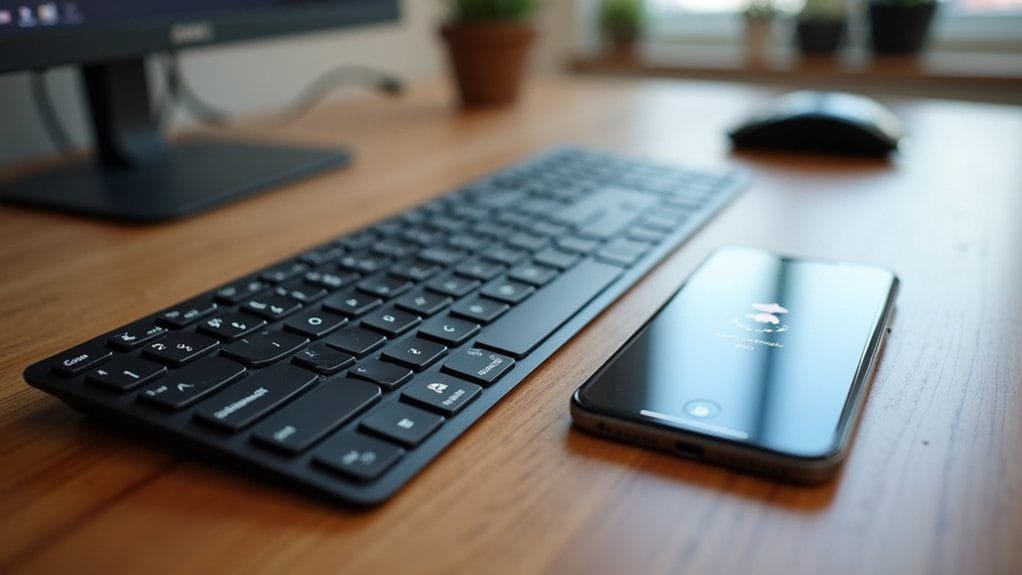
When choosing a wireless keyboard, understanding connectivity options and battery life is essential for ensuring a smooth typing experience. The Logitech K780 stands out with Bluetooth connectivity and the ability to switch between three paired devices seamlessly, while the Microsoft Bluetooth Keyboard offers fewer device pairing options. Logitech’s MX Keys and K380s boast impressive battery life, with the K380s lasting up to two years on AAA batteries. For stable connections in crowded spaces, Logitech’s 2.4GHz options provide low-latency wireless performance, unlike Microsoft’s sole Bluetooth approach. Additionally, Logitech keyboards typically come with rechargeable options, like the MX Keys S, while Microsoft relies on replaceable batteries. The K780’s integrated device cradle enhances usability for multitaskers.
Price and Value Assessment
Evaluating the price and value of wireless keyboards can help you make an informed decision that fits your needs. The Logitech MX Keys S, priced around $109.99, delivers a premium typing experience with enhanced features and superior build quality, making it an excellent investment for those prioritizing typing comfort. In contrast, the Microsoft Bluetooth Keyboard offers a budget-friendly option, suited for users seeking basic wireless functionality. While the Logitech’s rechargeable USB-C battery guarantees convenience and longevity, the Microsoft model relies on AAA batteries. Additionally, the MX Keys S supports multi-device users, enhancing its overall value. Ultimately, your choice depends on whether you value advanced features and comfort or prefer a simpler, more affordable solution.
User Feedback and Ratings
While both the Logitech MX Keys and the Microsoft Bluetooth Keyboard cater to different user needs, feedback reveals distinct preferences among their users. The Logitech MX Keys shines in user ratings for its comfortable typing experience, responsive keys, and features like backlighting and multi-device connectivity. In contrast, the Microsoft Bluetooth Keyboard is favored for its sleek design and lightweight portability, appealing mainly to casual users.
| Feature | Logitech MX Keys | Microsoft Bluetooth Keyboard |
|---|---|---|
| Typing Experience | Highly rated | Good, basic functionality |
| Multi-Device Connectivity | Yes | Limited |
| Backlighting | Yes | No |
| Battery Life | Rechargeable | AAA batteries |
| User Ratings | Higher | Lower |
Ideal Use Cases for Each Brand
For those seeking the perfect keyboard to match their needs, understanding the ideal use cases for Logitech and Microsoft keyboards can greatly enhance your typing experience. If you’re a professional juggling multiple devices, Logitech’s wireless keyboards like the K780 and MX Keys S excel with their multi-device connectivity and superior battery life. On the other hand, Microsoft keyboards cater to casual users and office environments, offering a sleek design with quiet operation. They’re also budget-friendly, making them accessible for those on a tighter budget. For enhanced productivity, Microsoft’s ergonomic design and customizable shortcuts can be beneficial. Meanwhile, Logitech’s backlit keys provide a superior typing experience, perfect for low-light conditions. Choose based on your priorities!
Final Thoughts on Choosing Between Logitech and Microsoft
When it comes to selecting between Logitech and Microsoft wireless keyboards, it’s essential to reflect on your unique needs and preferences. Logitech keyboards, like the MX Keys S, excel in battery life and offer multiple device connections, making them perfect for multitaskers. Their typing experience is often favored for comfort and key responsiveness. On the other hand, Microsoft keyboards shine with their sleek design aesthetics and quiet operation, which is ideal for shared workspaces. If usability with mobile devices is a priority, Logitech’s K780 integrates a handy device cradle. Ultimately, your choice should align with whether you value functionality and comfort, or modern design and silence in your typing experience.
Frequently Asked Questions
Which Keyboard Is the Best for Typing?
When considering the best keyboard for typing, evaluate wireless keyboard comfort, ergonomic design benefits, and key travel distance. Analyze battery life longevity, connectivity options, noise levels, build quality, and price value ratio for your typing speed improvement.
What Is the Best Alternative to the Surface Keyboard?
For the best alternative to the Surface Keyboard, consider wireless keyboards with ergonomic designs, reliable battery life, customizable key travel distances, and backlit options. User reviews reveal insights on portability, connectivity types, and brand reliability across various price ranges.
What Is the Equivalent of the Windows Key on a Logitech Keyboard?
On a Logitech keyboard, you’ll find a key embodying Windows key functions, often adorned with a logo. Embrace keyboard shortcuts and consider customizing settings for ideal ergonomics and a seamless wireless typing experience.
Is a Wireless Keyboard from Logitech or Microsoft Better for Reducing Desk Clutter?
When choosing between a wireless keyboard from Logitech or Microsoft to reduce desk clutter, consider your workspace needs. Both brands offer sleek designs that minimize visual distractions. To make an informed decision, take time to explore wireless and wired keyboards to find the perfect fit for your clutter-free environment.
Conclusion
When it comes to choosing between Logitech and Microsoft wireless keyboards, remember: “You get what you pay for.” Both brands offer unique strengths—Logitech shines in innovative features and customization, while Microsoft excels in comfort and durability. Ultimately, it boils down to your personal preferences and typing habits. Consider your needs, try them out if you can, and you’ll find the perfect fit for your workspace. Happy typing!