
For Zoom meetings, you’ll find Logitech’s Brio 4K offers superior professional-grade resolution with precise image quality, while Razer’s Kiyo Pro excels in low-light streaming scenarios. Your choice depends on specific needs: Logitech provides crisp 4K at 30fps with exceptional color accuracy, and Razer delivers smooth 1080p at 60fps with built-in lighting. Both guarantee high-quality video conferencing, but nuanced differences await further investigation.
Key Takeaways
- Logitech Brio 4K offers superior resolution and professional-grade video quality, making it ideal for high-stakes business and corporate Zoom meetings.
- Razer Kiyo Pro provides excellent low-light performance with HDR capabilities, ensuring clear visibility in varied lighting conditions during video conferences.
- Logitech webcams feature more comprehensive compatibility and easier integration across different platforms, reducing technical setup challenges for diverse work environments.
- Budget considerations favor Logitech, with models ranging from affordable ($19.91) to premium ($199.99), providing flexible options for different organizational needs.
- Both brands offer built-in noise-canceling microphones and auto-focus features, but Logitech’s Capture software provides more extensive customization for professional presentation settings.
Top Webcam Models Compared
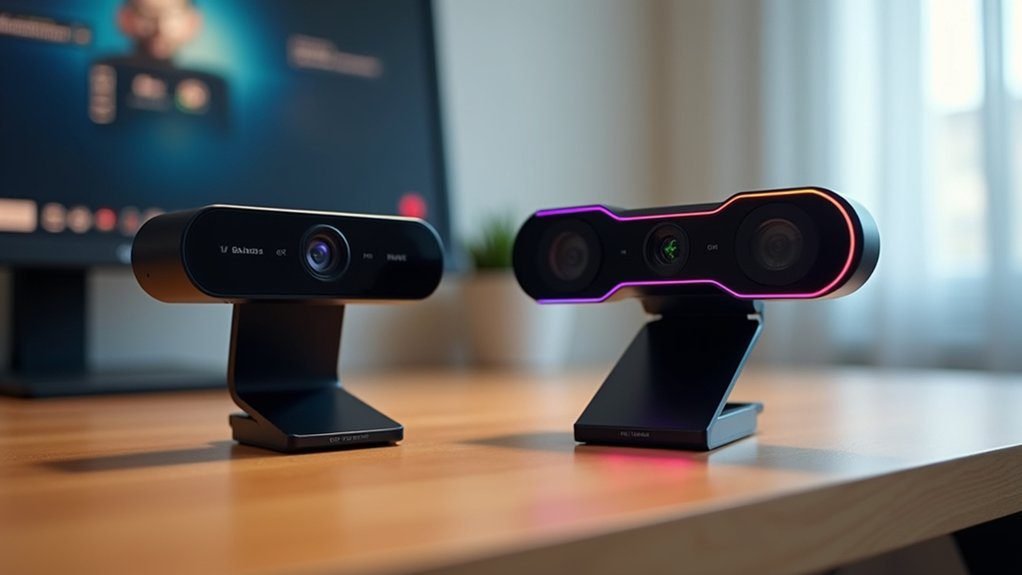
Two leading webcams dominate the professional virtual meeting landscape: the Logitech Brio 4K and the Razer Kiyo Pro. When comparing video quality, the Logitech Brio stands out with its 4K resolution and exceptional low-light performance, making it ideal for high-stakes video conferencing apps. The Razer Kiyo Pro counters with a unique built-in ring light, targeting content creators seeking enhanced visual aesthetics.
Both webcams offer robust USB-C connectivity, ensuring seamless integration across devices. The Logitech Brio provides adjustable field of view and superior video clarity, while the Razer Kiyo Pro delivers 1080p HD video with integrated lighting solutions. Your choice depends on specific webcam features: business professionals might prefer the Brio’s technical precision, whereas streamers could lean towards the Kiyo Pro’s creative lighting approach.
Performance in Low-Light Conditions
While video conferencing demands reliable performance across various lighting conditions, webcam low-light capabilities have become a critical differentiator for professionals and content creators. When comparing the Logitech Brio and Razer Kiyo Pro, you’ll notice key differences in low-light performance:
- The Logitech Brio’s Backside Illuminated (BSI) sensor provides superior low-light correction, maintaining exceptional image quality in dim environments.
- Razer Kiyo Pro’s larger sensor and HDR mode capture more light, reducing image noise effectively.
- Automatic brightness and color correction in the Brio guarantee precise skin tone representation in professional settings.
- Razer Kiyo’s built-in ring light offers additional illumination for users in poorly lit spaces.
Both webcams dynamically adjust exposure settings, but the Logitech Brio ultimately outperforms in extreme low-light scenarios through advanced software and sensor technology.
Video Quality and Resolution Breakdown
Building upon the low-light performance insights, video resolution emerges as a pivotal factor in webcam selection for professional Zoom meetings. The Logitech Brio 4K stands out with its exceptional 4K resolution at 30 fps, delivering superior video quality for demanding users. In contrast, the Razer Kiyo Pro offers robust 1080p performance at 60 fps, providing smooth video conferencing with crisp details.
Both webcams excel in critical areas like auto-focus and low-light correction. The Logitech Brio’s HDR feature enhances color accuracy, while the Razer Kiyo Pro’s HDR mode optimizes image quality in challenging lighting. Your choice depends on specific requirements: whether you prioritize ultimate resolution with the Brio or smoother frame rates with the Kiyo Pro’s 1080p performance.
Price Points and Value Proposition
In the competitive landscape of webcam pricing, three distinct tiers emerge that cater to varying professional needs and budget constraints. When selecting a webcam for video calls, you’ll encounter diverse options:
- Budget Option: The Logitech C270 at $19.91 delivers basic functionality without compromising essential video quality.
- Mid-Range Choice: Razer’s Kiyo webcam, often available for $49.99, provides exceptional value with integrated ring light technology.
- Premium Performance: Logitech Brio 4K stands at $199.99, offering advanced features for professionals demanding superior video resolution.
- Streaming Optimization: Razer Kiyo Pro at $172.93 targets content creators with specialized streaming capabilities.
Your selection ultimately depends on balancing price, features, and quality, with Logitech and Razer presenting compelling webcam solutions across different price points.
Software Features and Customization
Because webcam performance extends beyond hardware specifications, software features and customization play a critical role in enhancing user experience during Zoom meetings. Logitech Capture and Razer Synapse offer advanced features that transform your video quality through precise controls. You’ll find that Logitech provides scene shifts, overlays, and background replacement, while Razer emphasizes customizable field of view and HDR mode settings.
Both platforms enable granular adjustments like auto white balance and brightness control, giving you unprecedented control over your visual presentation. Logitech’s software excels in professional meeting environments, whereas Razer’s app targets content creators and streamers seeking high-performance customization. These sophisticated software solutions guarantee you can optimize your webcam’s performance across different Zoom meeting scenarios, making visual communication more dynamic and personalized.
Streaming and Professional Use Capabilities
While software customization sets the stage for superior video performance, streaming and professional use demand specialized webcam capabilities that extend beyond basic settings. These webcams excel in different professional domains:
- The Logitech Brio delivers exceptional video resolution up to 4K, making it an excellent job for professional meetings that require pristine visual clarity.
- Razer’s Kiyo Pro does an outstanding job with its built-in HDR mode, handling varied lighting conditions with remarkable adaptability.
- Both webcams offer seamless integration with platforms like Zoom and Microsoft Teams, ensuring smooth remote communication.
- Content creators particularly appreciate the Kiyo Pro’s unique built-in ring light, which reduces shadows and enhances presentation quality.
Each webcam’s built-in mic and specialized features demonstrate their commitment to professional-grade video performance.
Audio Performance and Microphone Quality
Audio performance stands as a critical factor in selecting the right webcam for professional video conferencing. When comparing the Logitech Brio 4K and Razer Kiyo Pro, you’ll find distinct differences in microphone quality. The Logitech Brio offers superior integrated microphone performance with dual noise-canceling technology and automatic gain control, effectively reducing background noise during virtual meetings. In contrast, the Razer Kiyo Pro’s omnidirectional microphone captures sound from all directions but typically requires external audio solutions for ideal voice clarity.
User reviews consistently highlight Logitech’s edge in audio performance, suggesting the Brio as the more reliable choice for professionals seeking high-quality integrated microphones. While Razer webcams excel in visual capabilities, their audio capabilities often fall short of the Logitech Brio’s professional-grade sound processing.
Compatibility and Ease of Setup
Beyond superior sound processing, webcam selection hinges on seamless system integration and user experience. When evaluating Logitech and Razer webcams for video conferencing, consider these compatibility factors:
When choosing webcams, prioritize system integration and user experience across different platforms.
- Plug-and-Play Connectivity: Logitech webcams offer straightforward USB connections, enabling quick setup across Windows systems and major video conferencing platforms.
- Software Configuration: Razer webcams often require the Razer Synapse app for advanced camera adjustments, whereas Logitech provides a more user-friendly interface.
- Platform Compatibility: Both brands support Zoom, Microsoft Teams, and other popular communication tools, ensuring broad usability.
- Firmware Management: Regular updates are essential for maintaining peak performance and system compatibility.
Your choice depends on whether you prefer immediate plug-and-play functionality or desire deeper customization through dedicated configuration software.
Frequently Asked Questions
Does Logitech Webcam Work With Zoom?
Yes, your Logitech webcam works perfectly with Zoom. You’ll enjoy seamless software integration, excellent video quality, and easy setup. Select the camera in Zoom’s settings, and you’re ready for high-performance video meetings with clear, crisp visuals.
What Is the Best Webcam for Telehealth?
For telehealth technology, you’ll want a webcam with 1080p resolution, excellent video quality, noise-canceling audio, and broad software compatibility. Consider the Logitech Brio’s adaptable features, privacy settings, and performance across diverse lighting conditions to optimize your virtual healthcare experience.
Is the Logitech Brio the Best Webcam?
While the Logitech Brio offers superior 4K video quality and impressive low-light performance, it’s not definitively the “best” webcam. Its advanced features and compatibility make it excellent, but individual needs and budget will ultimately determine its suitability.
What Is the Best Budget Webcam for Team Meetings?
With 70% of remote workers citing video quality as essential, you’ll find the Anker PowerConf C200 2K offers the best budget webcam features. Its affordable price, 2K resolution, and solid low-light performance make it ideal for team meetings without breaking the bank.
Conclusion
When choosing between Logitech and Razer, you’re not just selecting a webcam—you’re investing in your digital presence. The technical nuances ultimately reveal that performance transcends brand loyalty. Whether you prioritize crisp video quality or advanced streaming capabilities, each manufacturer offers compelling solutions that bridge professional communication and personal expression. Your final decision hinges on aligning specific technical requirements with budgetary constraints and intended use cases.